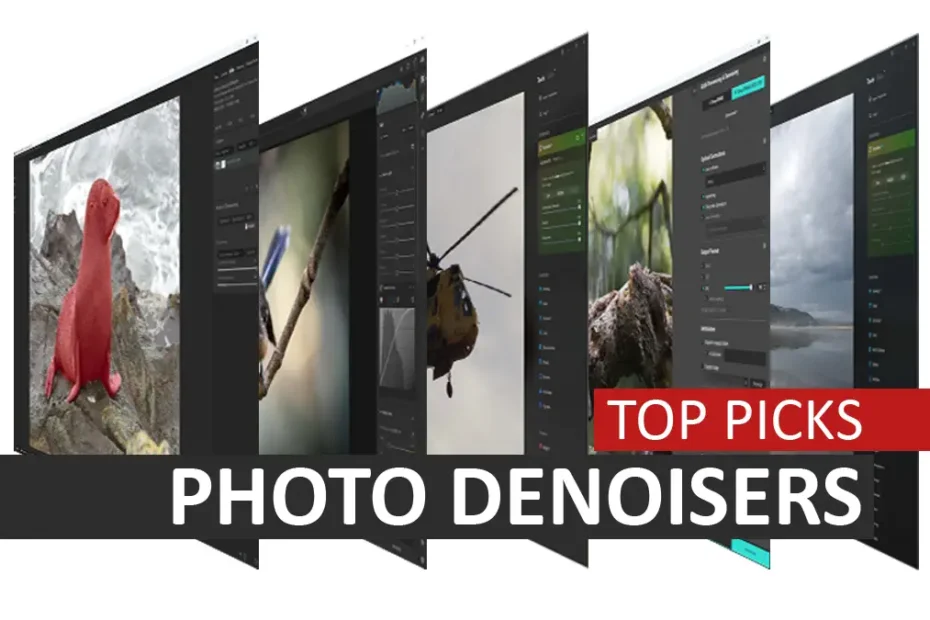
DxO PureRaw 6 and ON1 NoNoise AI are the best noise reduction software applications I have tested. ON1 NoNoise AI’s strengths include outstanding image quality, a bargain-basement price, and the ability to denoise JPEGs and RAW files.
Meanwhile, raw-only DxO PureRaw 6 combines top-tier noise reduction, class-leading raw conversion, and a reliably excellent and lightning-fast batch-processing mode. Jump to Conclusion
Watch Best Noise Reduction Software Video
Best Noise Reduction Software of 2026
- DxO PureRaw 6
- ON1 NoNoise AI 2024
- Topaz Photo AI
- Lightroom
- Topaz Denoise AI
- Noiseless AI
- OM Workspace
- Nik Dfine
DxO PureRaw 6
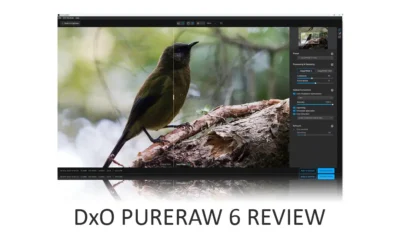
DxO PureRaw combines two technologies to deliver results beyond those of any denoising application on this list. The first is DeepPRIME, which is as good as noise reduction gets. The second is its Optics Modules.
Each Optics module is designed to correct the flaws inherent in specific camera-lens combinations. With these profiles, DxO PureRaw can apply highly targeted corrections and enhancements, resulting in a superior raw conversion.
When both technologies are combined, the results are akin to applying a camera or lens upgrade to the photos you’ve already taken.
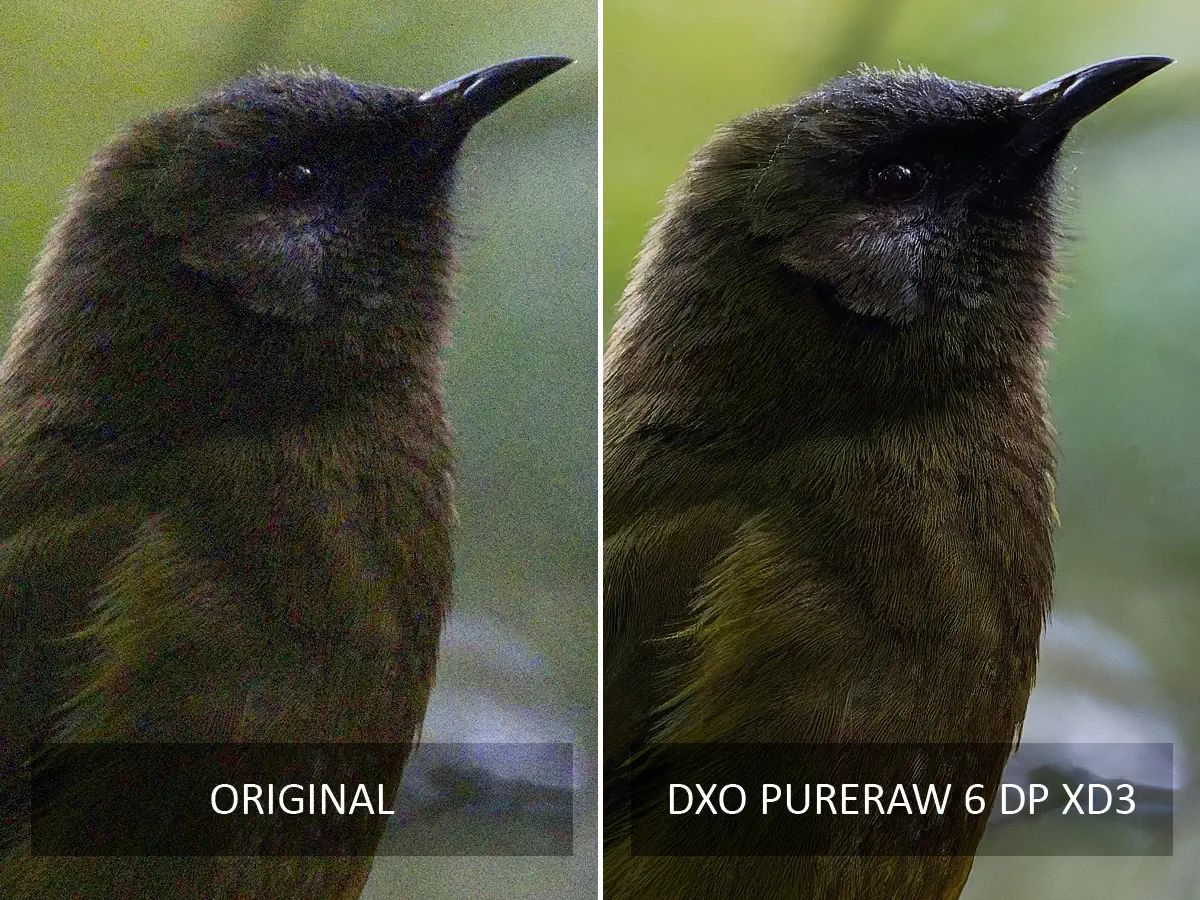
Moreover, PureRaw’s automated mode is consistently excellent, allowing you to queue large batches of images and trust it to produce near-optimal results in your absence. However, PureRaw does have a drawback.
As the name suggests, DxO PureRaw can only denoise raw files, meaning you’ll need something else for your JPEGs. DxO PureRaw is also considerably more expensive than ON1 NoNoise AI and isn’t meaningfully better at noise reduction.
But suppose you’re working primarily with raw files. In that case, DxO PureRaw’s speed, reliably excellent automatic mode, top-tier noise reduction, and market-leading raw conversion make it the one to own. Read DxO PureRaw Review for more information, samples, and comparisons.
ON1 NoNoise AI 2024
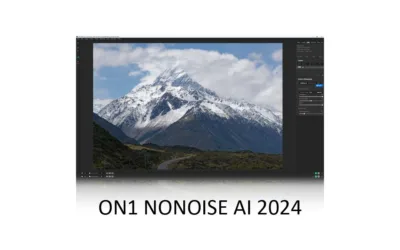
ON1 NoNoise AI is fast, easy to use, and produces outstanding results that surpass those of mid-tier products such as Lightroom Denoise and Topaz Photo AI.
In addition to noise reduction, ON1 NoNoise AI features automatic subject masking and Tack Sharp, an AI sharpening tool that can sharpen poorly focused and motion-blurred images.
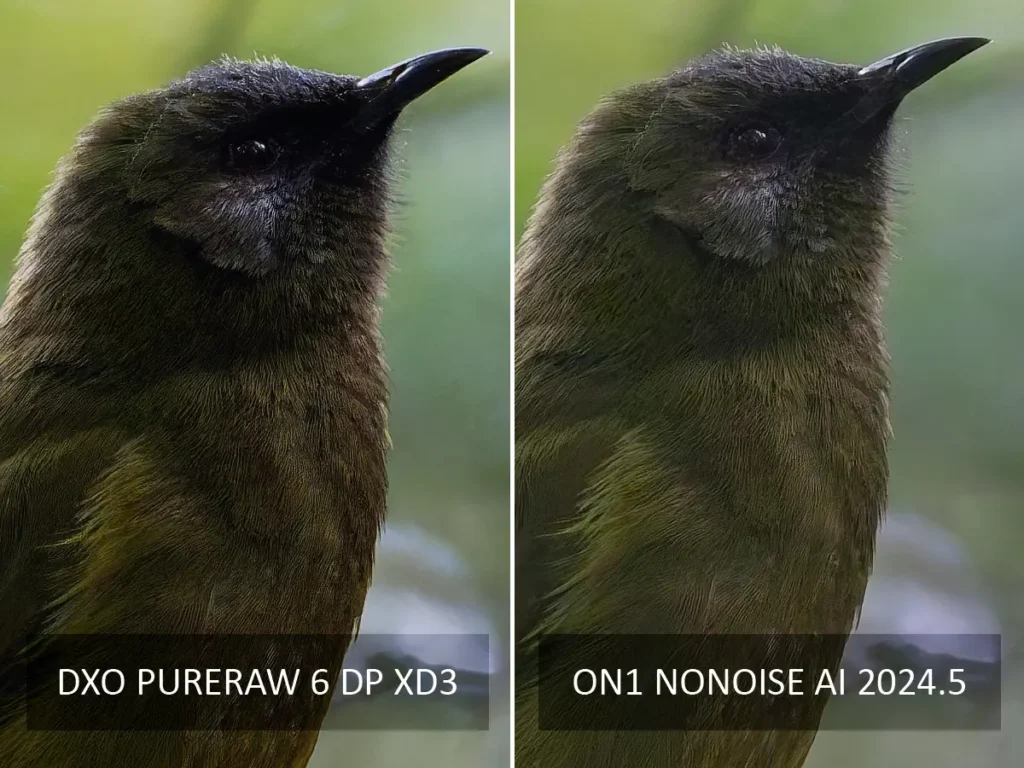
Regarding speed, ON1 NoNoise AI is the fastest denoiser I have tested and responds to your adjustments almost immediately.
As for adjustments, you can choose between two different denoising models and tune the amount of color and luminance noise reduction, sharpening, and detail retention to taste. Alternatively, you can leave ON1 NoNoise AI in its reliably excellent automatic mode.
With ON1 NoNoise AI, you can denoise an entire image or limit noise reduction to select areas using its array of brushes and AI-powered automatic masks. Moreover, you can apply multiple masks, each with unique adjustments, in their own layers. ON1 NoNoise AI also features a crop tool and various erase brushes. While including such tools may seem unnecessary, you’re less likely to export your denoiser to a secondary application for further editing.
Ironically, ON1 NoNoise AI’s biggest problem is ON1 Photo Raw, a full-featured photo editing and management tool with NoNoise and Tack Sharp built in, and the price difference isn’t as big as it should be.
Thus, if you are looking for a noise reduction application and a photo studio, ON1 Photo Raw is the way to go. Read my ON1 NoNoise AI Review for more information
Topaz Photo AI
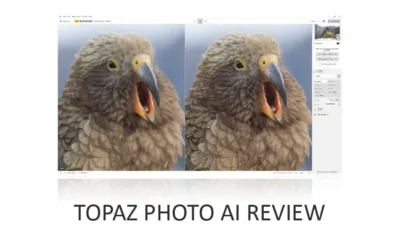
Topaz Photo AI is much more than one of the best AI noise-reduction applications. Specifically, Photo AI combines noise reduction, upscaling, and blur-correcting sharpening.
This means two things. First, Topaz Photo AI is more useful, more often, because it does more. Second, you can apply all these features to a single image to produce results no other denoiser on this list can match.

However, the problem is price. Topaz Photo is now subscription-only, with pricing starting at $200 per year. As a result, I couldn’t possibly recommend Photo AI solely for denoising images, as DxO PureRaw and ON1 NoNoise AI are marginally superior and much cheaper.
But if you need a fully-featured all-in-one photo enhancement studio, Topaz Photo remains best in class by a wide margin. Read Topaz Photo AI Review for more information.
Lightroom AI Denoise
While Lightroom’s AI Denoise is very good, it falls short of its best-in-class alternatives. Specifically, the image quality isn’t as good, it’s very slow to run, and it offers little in the way of adjustment.
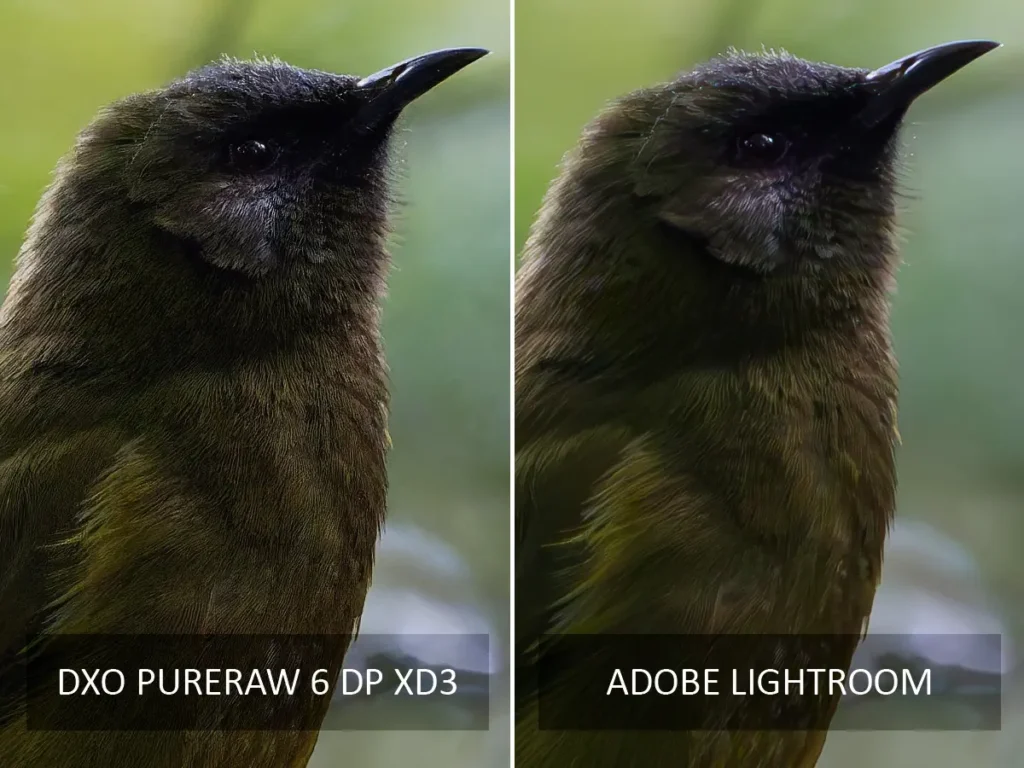
Nonetheless, given that still-very-good Denoise is included within the Lightroom subscription, it’s a bit of a bargain. Therefore, existing subscribers with infrequent denoising needs shouldn’t feel compelled to use anything else.
But if you are looking for the best results possible, you will be better off with ON1 NoNoise AI or DxO PureRaw. Read my Lightroom Denoise Review for more information, samples, and comparisons.
Topaz Denoise AI
Topaz Denoise AI has been discounted and has not received any updates for some time. However, I thought it would be worth leaving on this list to illustrate how far it has fallen behind its rivals.
Not only does Denoise AI suffer from inferior image quality, it is also one of the slower denoisers I’ve used, with significant delays between adjustments.
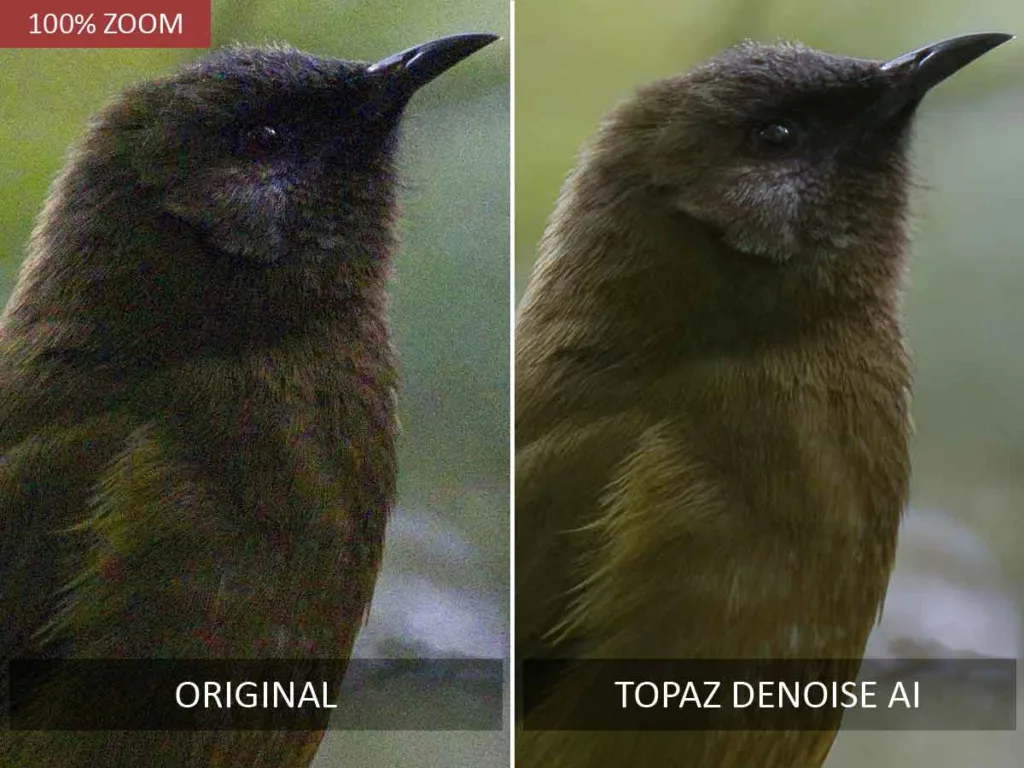
This issue is compounded by the fact that its automatic mode isn’t likely to produce a great result. Thus, latency-soaked manual optimization is almost always required. However, your patience is often rewarded with a good result.
In the past, such delays felt reasonable, given the quality of the result. But today, ON1 NoNoise AI and DxO PureRaw deliver superior results more easily in a fraction of the time. Read Topaz Denoise AI Review.
Noiseless AI
Noiseless AI is an AI-powered noise-reduction application for Luminar Neo that falls short of its more mature competition. Specifically, Noiseless AI lacks the ability of its rivals to restore and enhance detail.
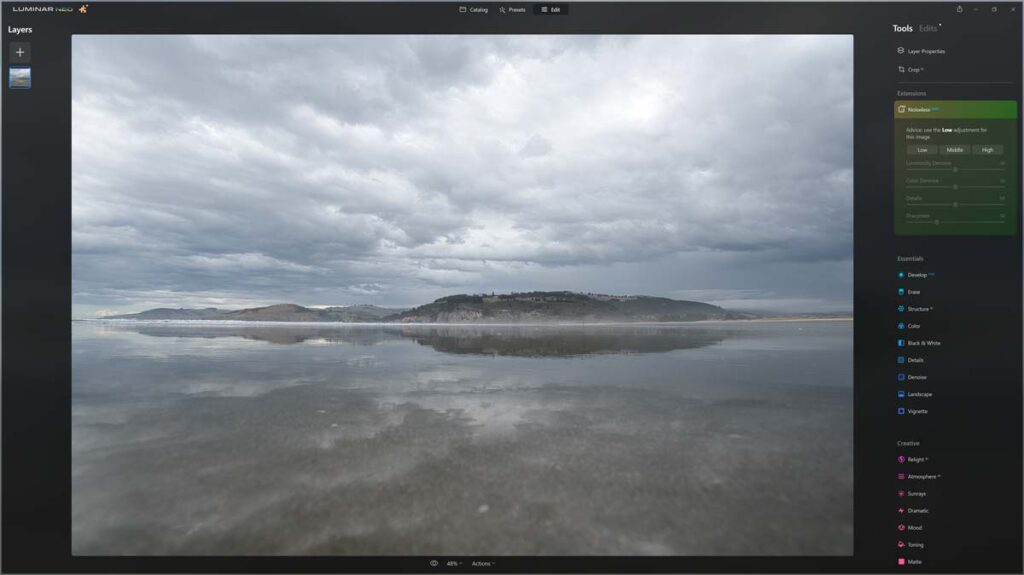
Nevertheless, Noiseless AI does get a few things right. Noiseless AI is exceptionally straightforward, with only three settings: Low, Middle, and High. Moreover, Noiseless AI is just one more spoke in the Luminar Neo wheel. In other words, you can denoise your photo with Noiseless AI, run it through SuperSharp AI, and finish it with a preset.
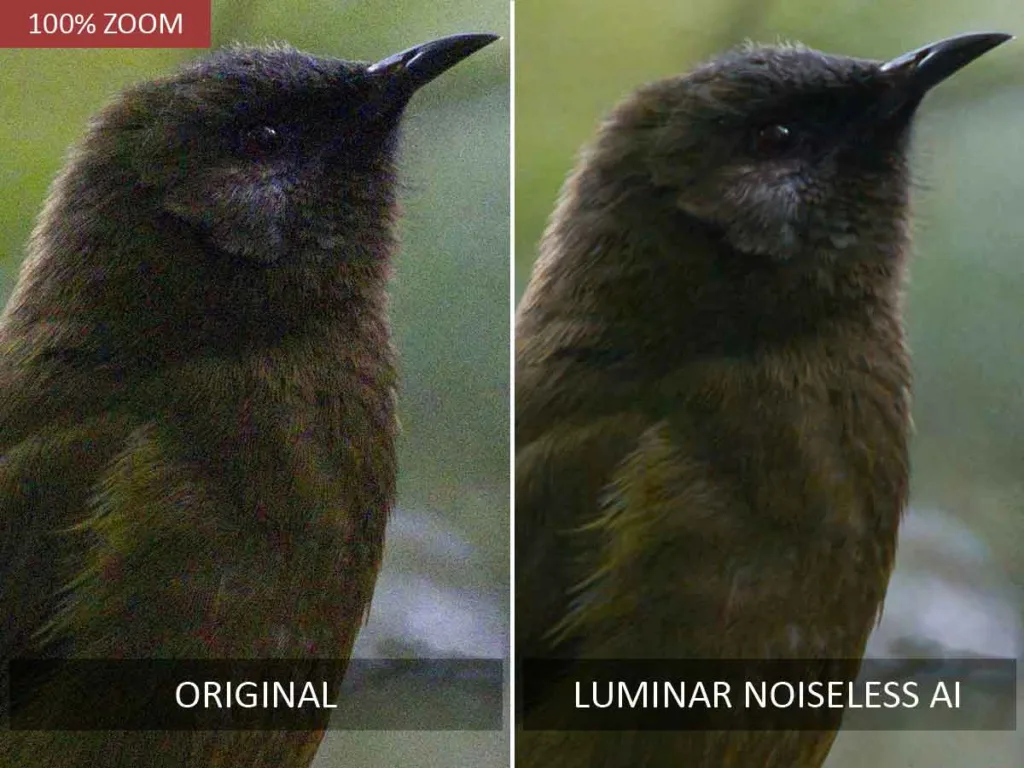
Thus, if you’re already a Luminar Neo user, Noiseless AI deserves your consideration. But if you’re looking for class-leading performance and don’t mind switching to separate applications, I recommend looking further up this list.
Read my Noiseless AI Review for more information
OM Workspace
Whoever said there’s no such thing as a free lunch never downloaded OM Workspace. New to OM Workspace is an AI-powered noise reduction and sharpening tool. But while OM Workspace is free, you do get what you pay for when it comes to noise reduction software.
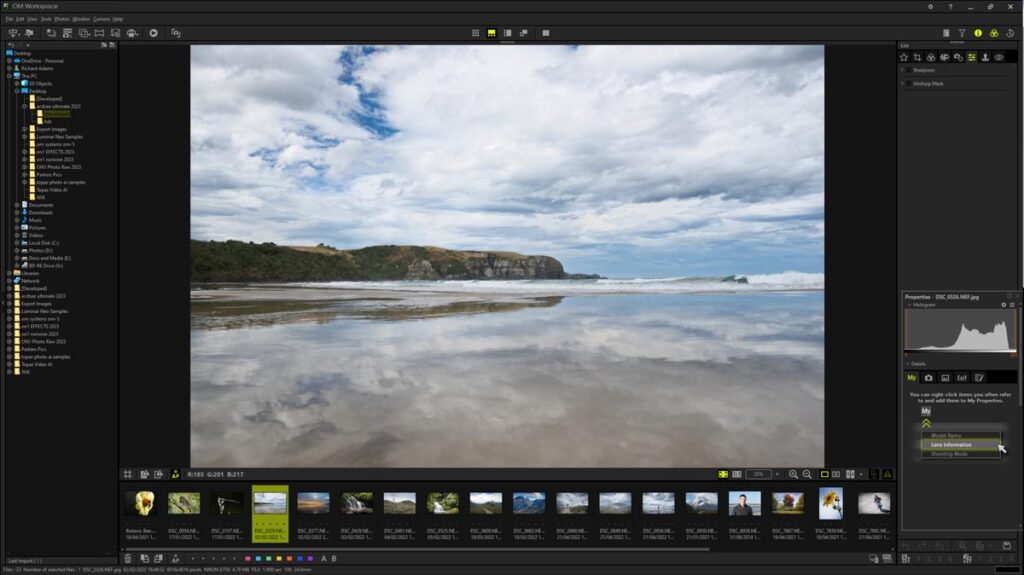
First, OM Workspace falls well short of the best-in-class alternatives, and it doesn’t help that you cannot apply AI Noise Reduction and AI Sharpening simultaneously. Secondly, OM Workspace only works with raw files produced by Olympus cameras, which are newer than those produced by the Olympus OM-D M1ii. As a result, I must use Topaz Photo AI to denoise the raw files created by my Olympus M5ii.
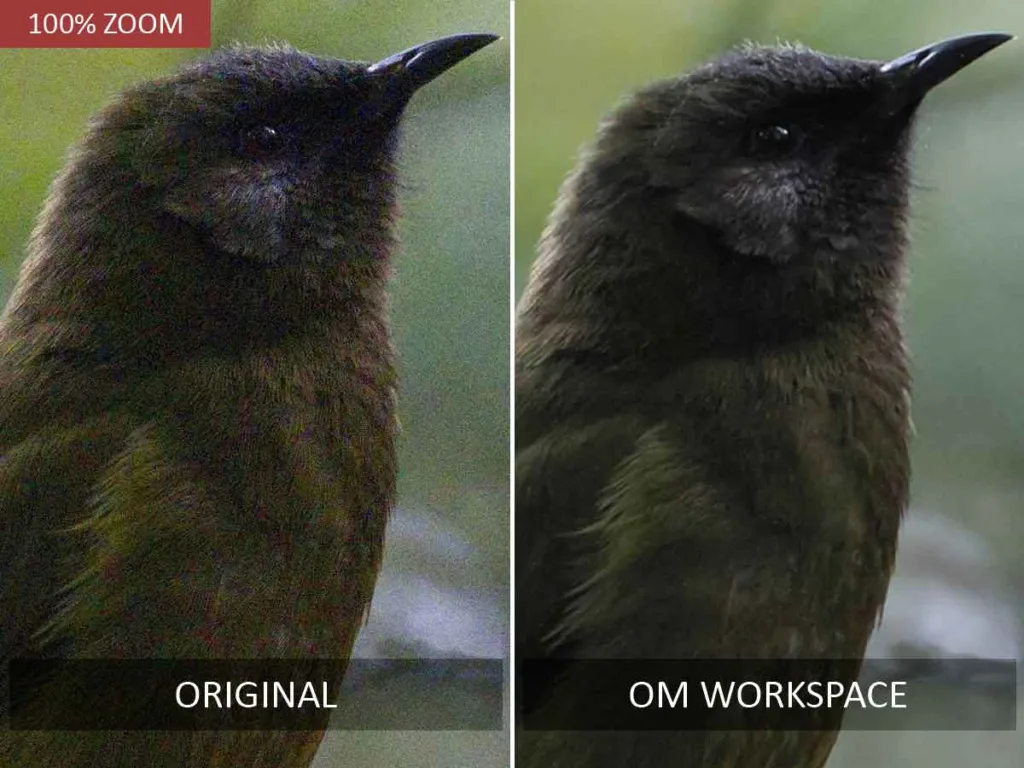
However, this is no hardship since Topaz Photo AI is much better. So, if you’re a Micro Four Thirds shooter looking for full-frame image quality, I strongly recommend investing in an alternative.
Read my OM Workspace Review – AI Noise Reduction for more information
Nik Dfine
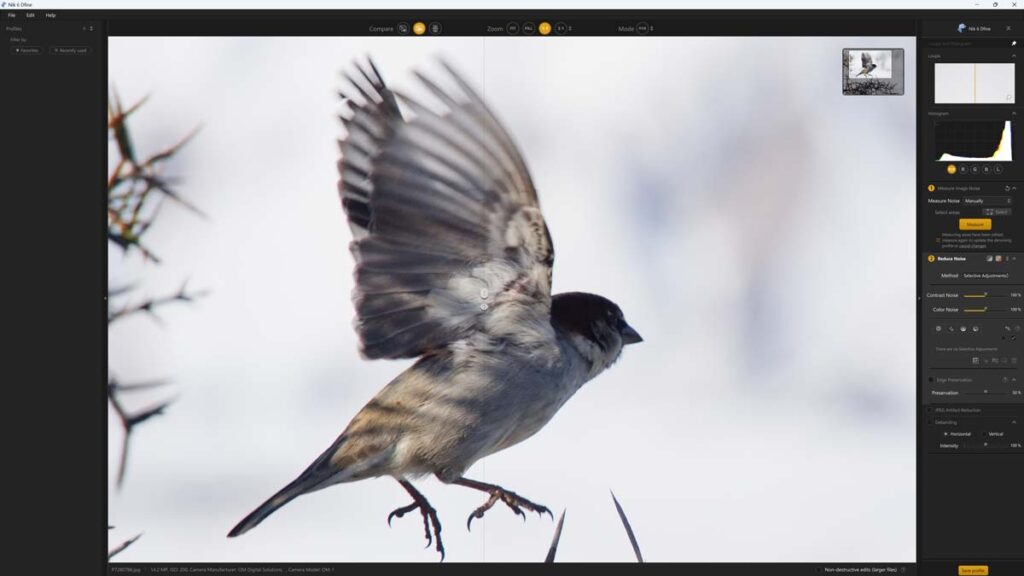
Nik Dfine is a traditional, non-AI-powered noise-reduction application and one-eighth of DxO’s US$149 8-application Nik Collection. On these terms, Nik Dfine is somewhat of a bargain.
However, Nik Dfine stands out as one of the finest examples of last-generation noise reduction technology and is thus thoroughly outperformed by the latest AI-powered photo denoisers. So, while there are many reasons to buy the Nik Collection as a whole, I cannot recommend Nik Dfine as one of the best noise-reduction tools.
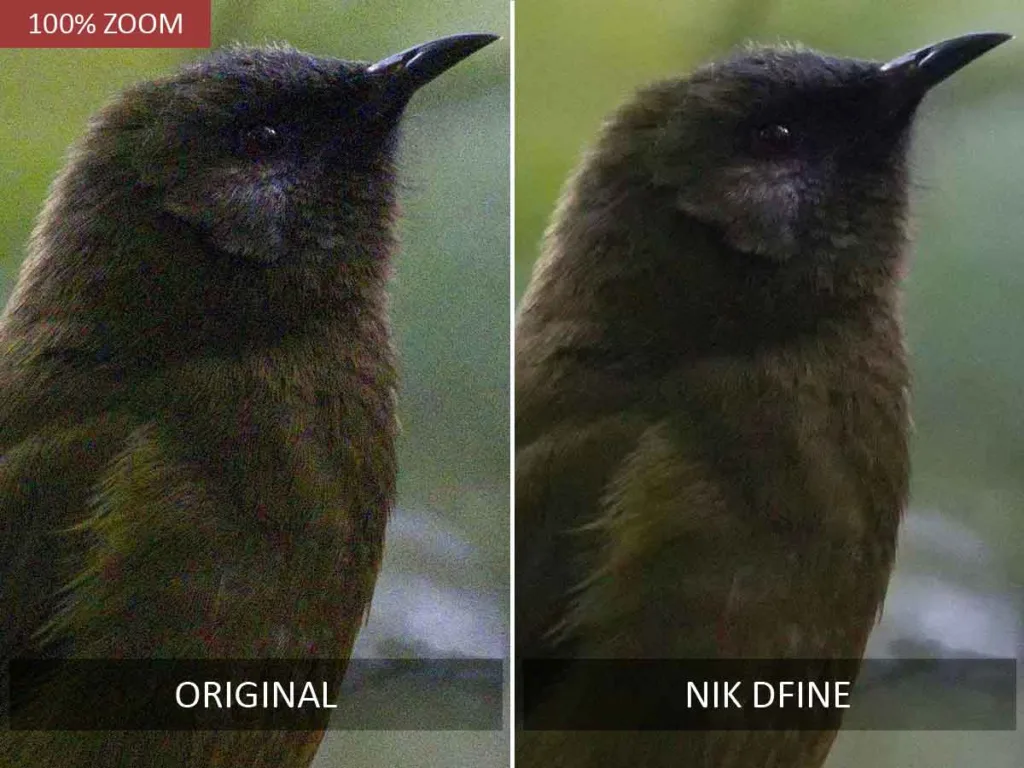
Read my Nik Dfine Review for more information
Article Continues Below
Get Discounts on Photo Editing Software
Subscribe to my weekly newsletter and be notified of deals and discounts on photography software from ON1, Adobe, Luminar, and more. Spam Promise: Just one email a week, and there’s an unsubscribe link on every email.
Conclusion
ON1 NoNoise AI and DxO PureRaw are the best noise reduction applications today. ON1 NoNoise AI delivers excellent image quality, a responsive interface, and a bargain price tag. Moreover, unlike DxO PureRaw, ON1 NoNoise AI can denoise both Raw and JPEG files. Whether DxO PureRaw’s DeepPRIME is any better than ON1 NoNoise AI in noise reduction is unclear.
However, PureRaw’s Raw conversion is class-leading and will improve any raw file, noisy or not, you might load into it. This added benefit, along with PureRaw’s reliably excellent automatic and batch-processing modes, makes it an outstanding option if you work primarily with Raw files.
Falling slightly behind ON1 NoNoise AI and DxO PureRaw is Topaz Photo AI. While Topaz Photo AI is a spectacularly capable image enhancement tool that can upscale and deblur your photos, it’s slightly less capable than PureRaw and NoNoise when measured purely as a denoising application. Therefore, you should only consider Topaz Photo AI if you value everything it offers.
Finally, if you are a Lightroom subscriber, you may find it difficult to justify paying a premium to supplement Lightroom Denoise. While Lightroom Denoise is less capable and much slower than PureRaw and NoNoise AI, it’s certainly good enough for occasional use.
About the Author