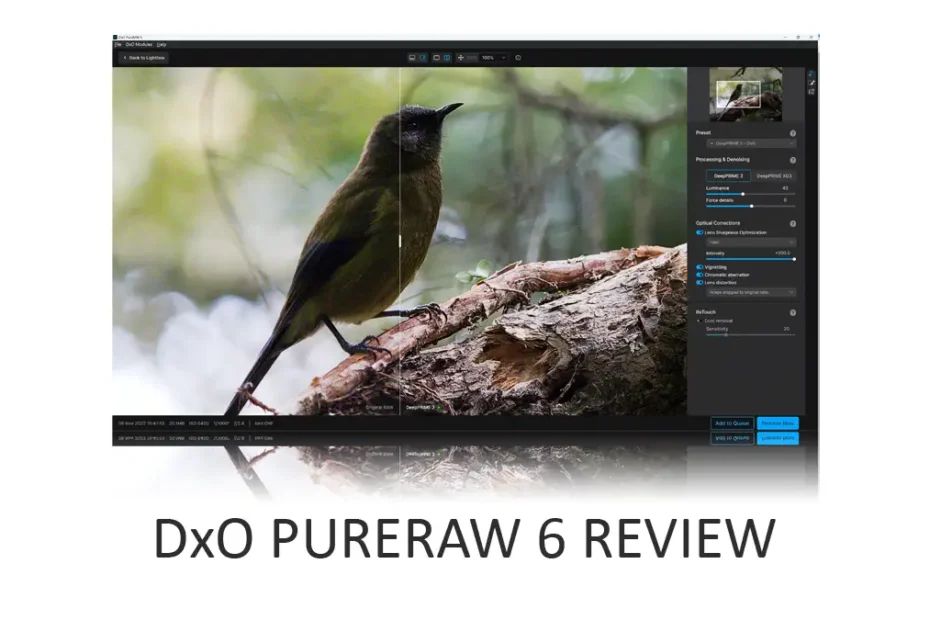
DxO PureRaw is a top-tier photo noise-reduction and raw-conversion tool that polishes both clean and noisy images to perfection. Yet, PureRaw isn’t for everyone. At US$139, it is more expensive than its rivals, and, as the name suggests, PureRaw can only process Raw files, not JPEG. Nonetheless, if you primarily work with Raw files and are looking for an automated route to optimal image quality, DxO PureRaw 6 is hard to beat. Jump to Conclusion | Try DxO PureRaw Now – Free

GET DXO PURERAW TODAY
WAS $139 – SAVE 20% UNTIL APR 8TH
US$112
*WITH PROMOCODE SILENTPEAK20
Table of Contents
- What is DxO PureRAW 6
- Watch DxO PureRaw Review
- What is new in DxO PureRaw 6
- How much does DxO PureRaw cost
- DxO PureRaw Promocode
- DxO PureRaw Free Trial
- Is DxO PureRaw any good
- DxO PureRaw Tutorial
- What’s wrong with DxO PureRaw 6
- Alternatives to DxO PureRaw 6
- Conclusion
- About the Author
What is DxO PureRAW 6
DxO Pure RAW is a specialist raw conversion and noise reduction application for PC and Mac OS. PureRaw leverages DxO’s optics module technology, with each module profiling the characteristics and flaws of specific camera and lens combinations. This insight enables DxO PureRaw to perform highly targeted corrections and enhancements to your image, resulting in superior image quality.
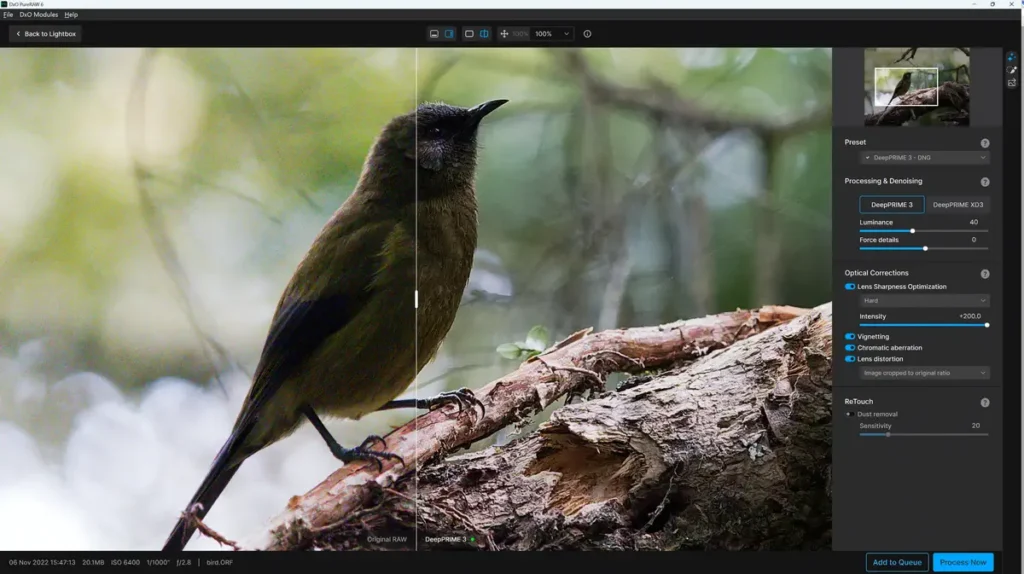
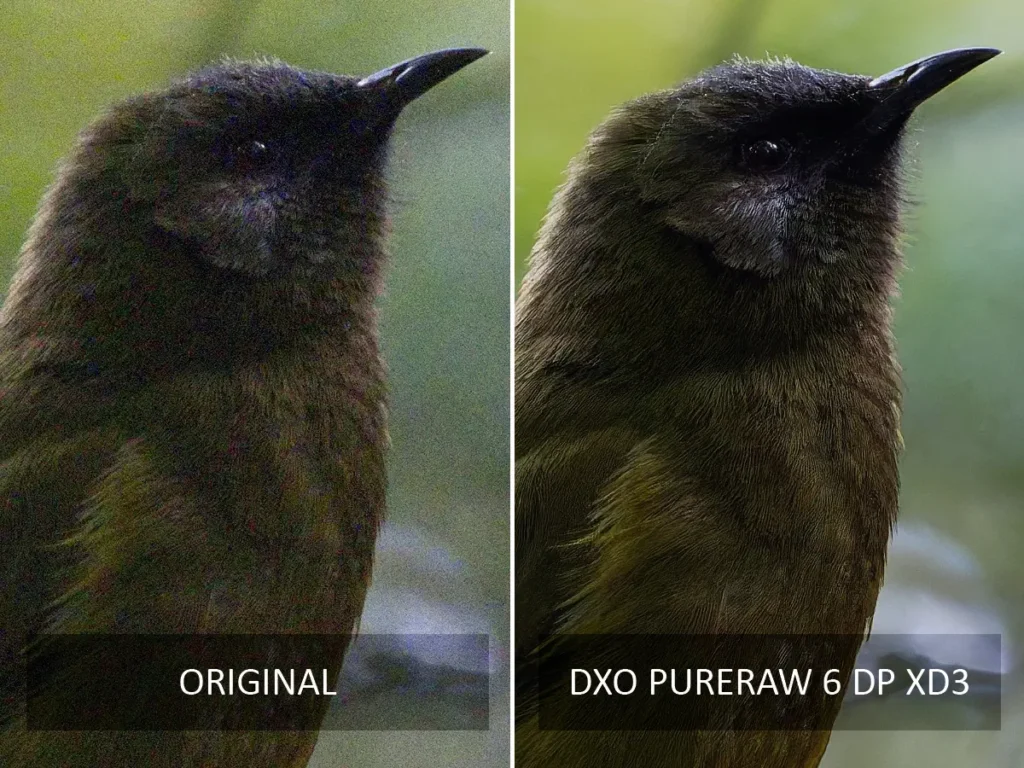
PureRaw also features DeepPRIME, the best noise reduction software I’ve tested. Unlike traditional noise-reduction techniques, which wash away detail, DxO PureRaw’s DeepPRIME noise reduction removes noise while recovering and enhancing detail.
Combining DxO PureRaw’s optics module-powered corrections with DeepPRIME delivers genuinely transformative results that are equivalent to a camera or lens upgrade, but at a fraction of the price. Moreover, PureRaw’s automatic mode is reliably excellent and can be trusted to deliver near-optimal results without your intervention, making it an outstanding option for processing large batches of images.
However, as the name suggests, DxO PureRaw is a raw conversion tool and cannot process JPEG or other non-raw file formats. Moreover, PureRaw cannot be considered an alternative to traditional photo-editing applications, as it lacks basic features such as Crop, White Balance, and Tone Curves.
For this reason, you might consider DxO PhotoLab instead. Photolab is a full-featured photo-editing application that integrates much of PureRaw’s functionality. Read DxO Photolab Review
Watch DxO PureRaw Review
What is new in DxO PureRaw 6
DxO PureRaw 6’s DeepPRIME XD3 is no longer limited to Fuji’s X-Trans cameras and now works with most cameras. Additionally, you can now export your photos as lossless compressed DNG files. These are considerably smaller than regular DNG files, yet appear to suffer no loss of image quality. However, while regular full-fat DNG files are widely accepted, you shouldn’t assume your favorite photo editor is compatible with this newer, smaller format.
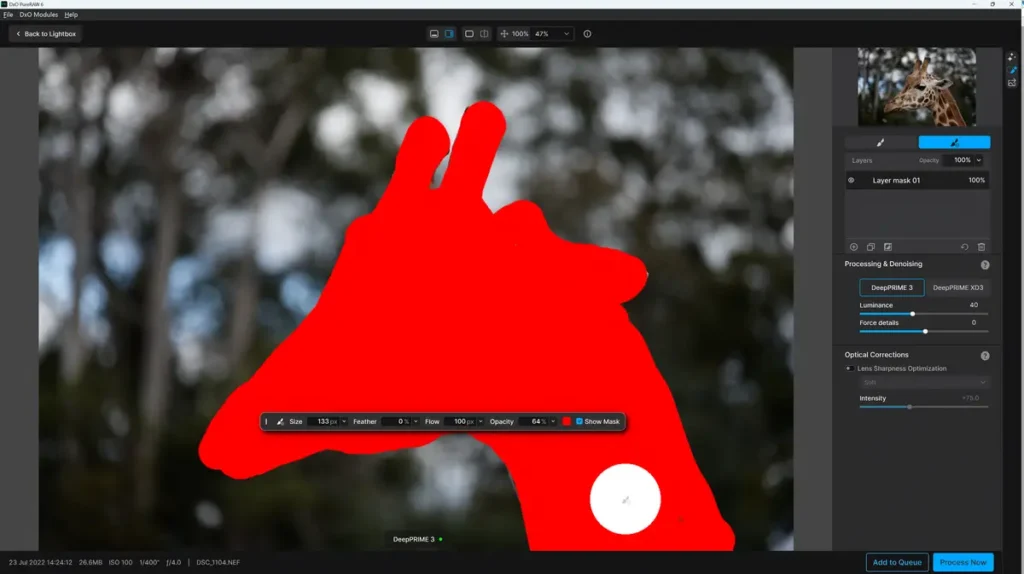
There’s also a new AI-powered sensor dust removal tool for clearing unwanted debris from your photo and faster batch processing.+
PureRaw 4 and 5 owners can upgrade to PureRaw 6 for US$89.99. While I consider DxO PureRaw 6 a moderate upgrade for many PureRaw 5 owners, I do recommend PureRaw 6 for those on PureRaw 4 or older, thanks to the features above, plus PureRaw 5 perks, such as the local masking.
How much does DxO PureRaw cost
You can buy DxO PureRaw 6 outright for a one-time payment of US$139. Meanwhile, those of you on PureRaw 4 or 5 can upgrade for US$89.99. Alternatively, you can buy DxO Photolab instead. Photolab costs US$239 and is a full-featured photo editing application that integrates PureRaw’s key features.
DxO PureRaw Promocode
Use SILENTPEAK15 for a 15% discount
DxO PureRaw Free Trial
You can download and use the full-featured version of DxO PureRaw for 14 days free of charge. Download DxO PureRaw Now.
Is DxO PureRaw any good
DxO PureRaw’s Optics Module-powered raw conversion and DeepPRIME noise reduction are class-leading, delivering results akin to a lens or camera upgrade for a fraction of the price.
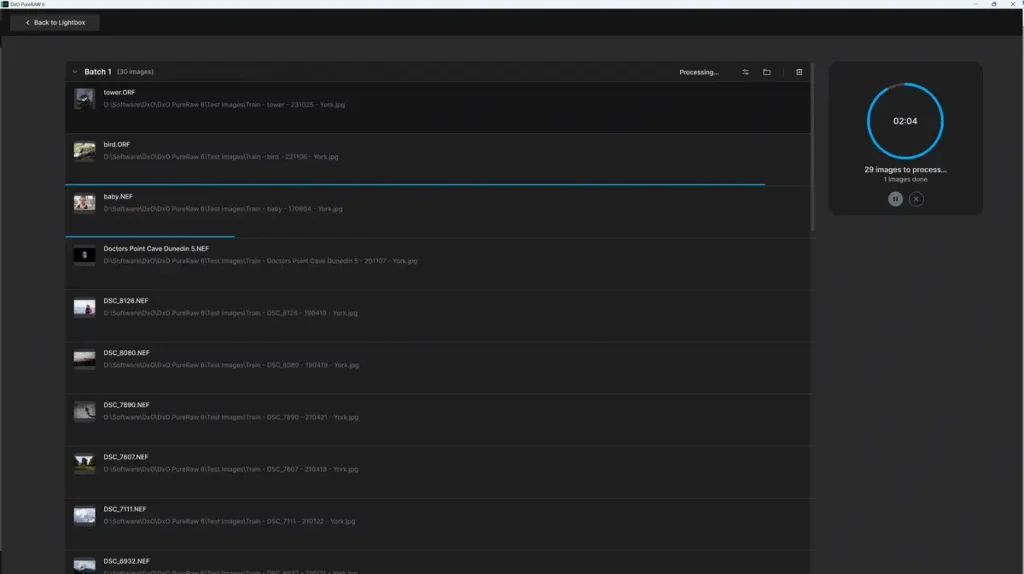
However, as good as PureRaw’s image quality is, it isn’t miles off top-tier alternatives such as Topaz Photo AI and ON1 NoNoise AI. Thus, what makes PureRaw so special isn’t solely its image quality, but its batch processing. Specifically, you can load dozens or hundreds of images into PureRaw, specifiy you desired settings, run the queue, and leave it to produce excellent results in your absence. Moreover, PureRaw’s batch processing is very fast, and you can even work on other images while a batch is processed in the background.
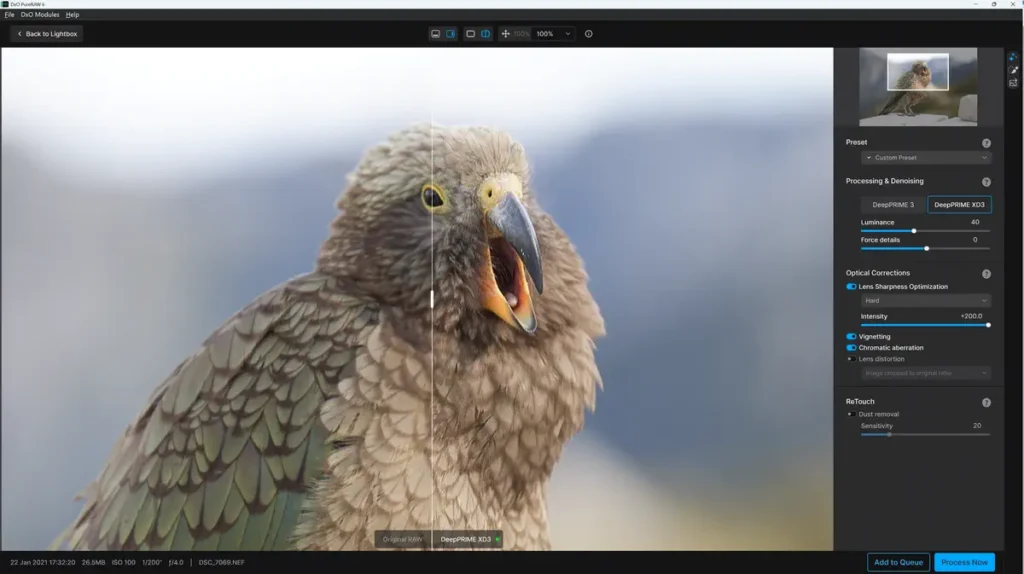
Alternatively, you can use the responsive Process with Preview mode to enhance one image at a time, seeing how each adjustment affects it in real-time for optimal results. Once finished, you can copy your edit to other images or save your adjustments as a preset and apply them to entire batches.
Yet it’s important to remember that PureRaw is a raw conversion tool designed to prime our images. For occasions when you feel further editing is required, you can export your enhanced image to your favorite photo-editing application as a JPEG, TIFF, or DNG Raw. Naturally, DNG Raw is the optimum choice for editing, and the inclusion of lossless-compressed DNG in PureRaw 6 gives us the same benefits without the massively bloated file sizes. This is a huge advantage in these times of inflated storage costs – assuming your favorite photo editing application is compatible,
In use, DxO PureRaw’s well-presented, responsive interface is a pleasure to work with and packed with labor-saving features, including presets and a truly wonderful file-renaming tool. Meanwhile, the Smart Lighting and dust removal features reduce the likelihood of you needing to bounce your image to a separate editing app.
DxO PureRaw Tutorial
What’s wrong with DxO PureRaw 6
As a raw conversion tool, DxO PureRaw’s intrinsic limitation is its lack of support for JPEGs. In contrast, ON1 NoNoise AI is a similarly excellent denoising tool that works with Raw and JPEG yet costs half as much.
Alternatives to DxO PureRaw 6
DxO PureRaw 6 vs DxO PureRaw 5
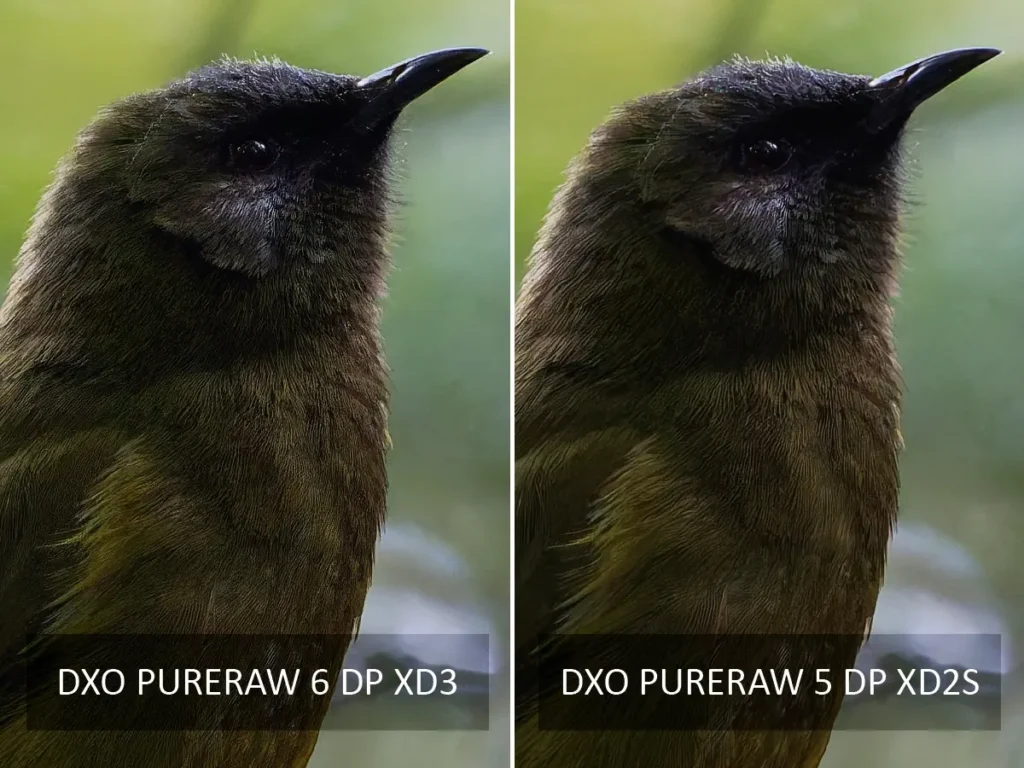
Regarding image quality, DxO PureRaw 6’s new DeepPRIME XD3 is better than PureRaw 5’s DeepPRIME 3 and similar to the older but excellent DeepPRIME XD2. Therefore, you should not upgrade to DxO PureRaw 6 solely for image quality.
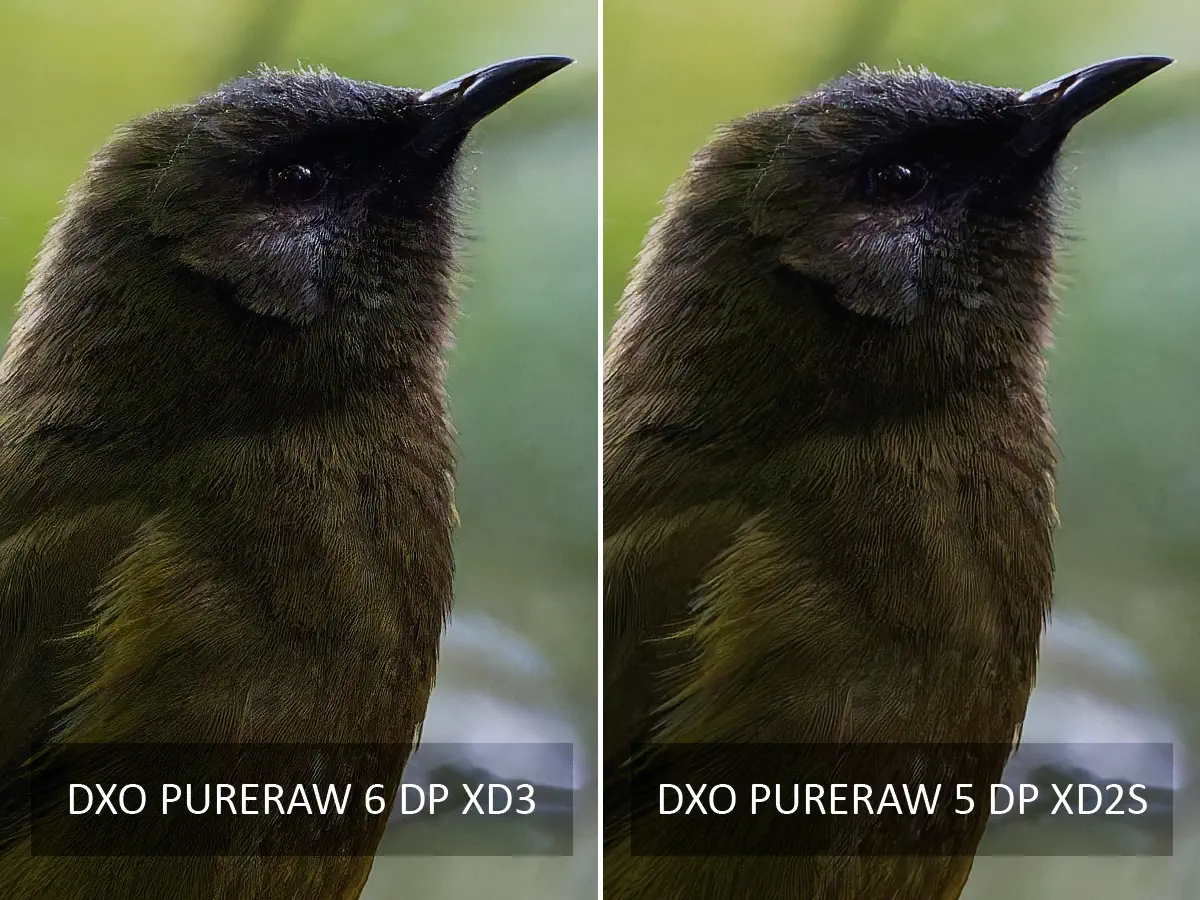
However, some of you may find the inclusion of lossless-compressed DNG into PureRaw 6 a reason alone to upgrade, given today’s ever-increasing storage costs. However, I expect most DxO PureRaw 5 owners would be better off waiting to see what DxO PureRaw 7 brings. Login and Upgrade to DxO PureRaw 6
DxO PureRaw vs Lightroom Denoise
DxO PureRaw is noticeably superior to Lightroom Denoise, but not to the extent where everyone will find the difference meaningful. However, PureRaw’s range of adjustments offers greater flexibility, and its batch processing is far faster and much more reliable. Furthermore, Lightroom cannot match PureRaw’s ability to correct lens softness and blur.
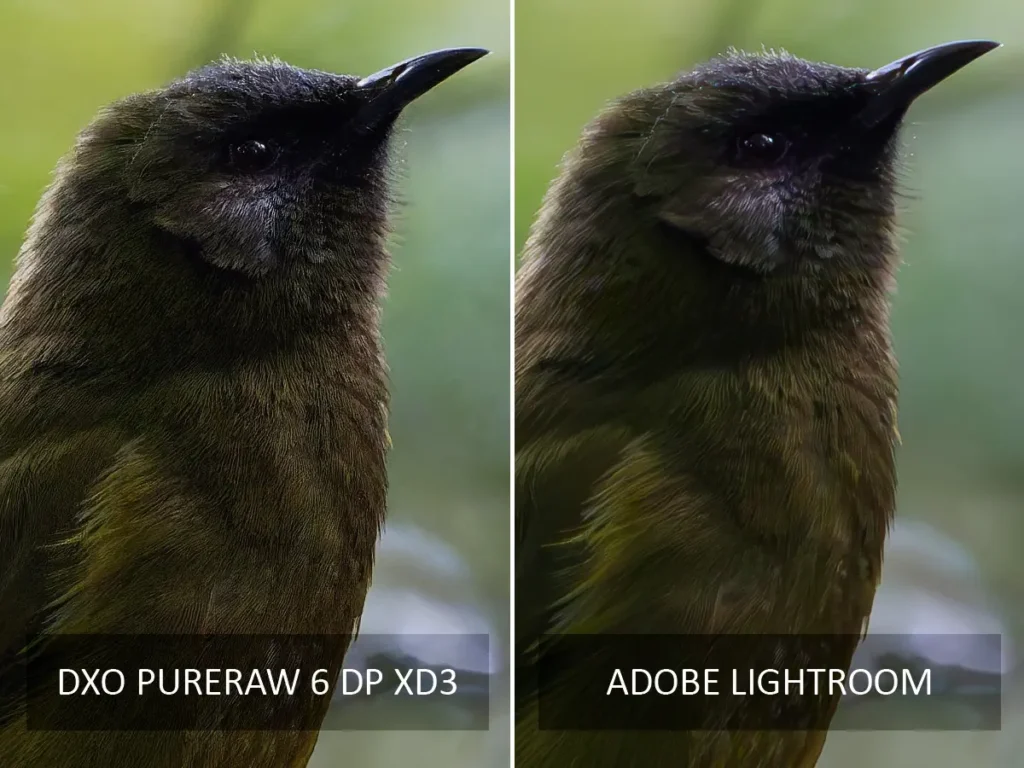
Thus, the more images you shoot, the more compelling DxO PureRaw becomes. However, you may find Lightroom sufficient for casual denoising needs despite its limitations.
Read my Lightroom Review for more information and comparisons.
DxO PureRaw vs ON1 NoNoise AI
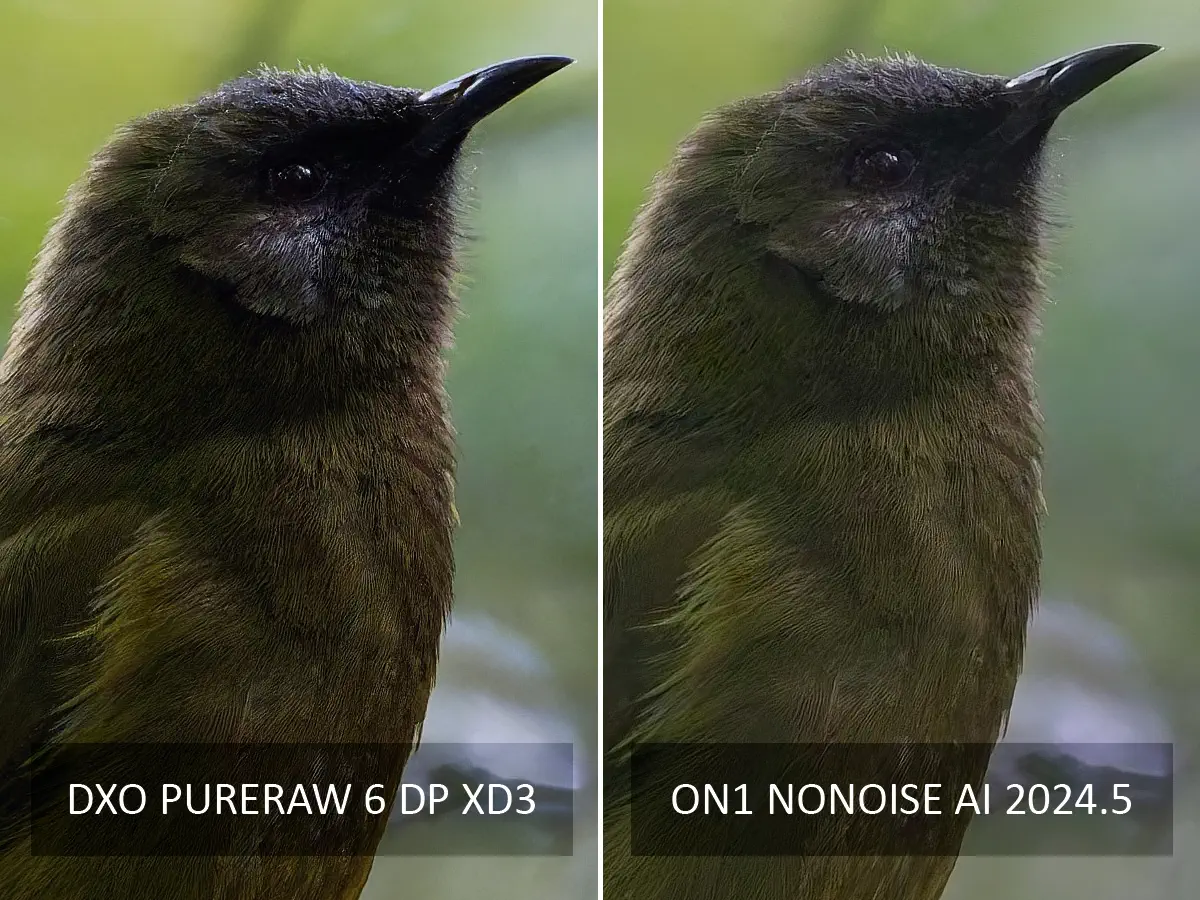
ON1 NoNoise AI is a compelling alternative to DxO PureRaw. It is at least as good as DxO PureRaw regarding noise reduction and can denoise raw and JPEG files. Moreover, ON1 NoNoise costs almost half as much as PureRaw, making it quite the bargain and the better choice for some.
Nevertheless, DxO PureRaw is a superior raw converter and the best application for processing large batches of photos autonomously. But if you need to denoise small numbers of JPEGs and Raw, the bargain-priced ON1 NoNoise AI is the way to go.
Read my ON1 NoNoise AI Review for more information.
DxO PureRaw vs Topaz Photo AI
Measured purely as a noise reduction tool, Topaz Photo AI is slightly behind DxO PureRaw. However, Topaz Photo AI can upscale and correct blurred images, making it a vastly more capable image enhancement application overall. But if you only need noise reduction, I recommend spending far less and buying DxO PureRaw or ON1 NoNoise AI.
Get Discounts on Photo Editing Software
Subscribe to my weekly newsletter and be notified of deals and discounts on photography software from ON1, Adobe, Luminar, and more. Spam Promise: Just one email a week, and there’s an unsubscribe link on every email.
Conclusion
DxO PureRaw is an outstanding image enhancement tool. Its optics module-powered raw conversion is exceptional, while DeepPRIME is as good as noise reduction gets. With Process with Preview, you can observe the effects of your adjustments in real time, enabling you to fine-tune your photo to your liking. Alternatively, you can queue up a hundred images and rely on PureRaw’s reliably excellent batch processing to produce great results in your absence. In other words, all roads lead to a well-processed image.
However, DxO PureRaw does have its issues. Specifically, it’s comparatively expensive and, unlike cheaper alternatives, cannot denoise or process JPEGs. However, PureRaw’s optics module-powered corrections and enhancements are well worth the premium if you primarily work with raw files.
Yet, as good as PureRaw 6 is, it’s merely an incremental upgrade over PureRaw 5. While DxO has illustrated how much better PureRaw 6’s DeepPRIME XD3 is over PureRaw 5’s DeepPRIME 3, it is comparable to 5’s older XD2s. Therefore, those on DxO PureRaw 4 or older will find PureRaw 6 a solid upgrade. Meanwhile, PureRaw 5 owners with no need for lossless-compressed DNG files should wait for PureRaw 7.
Overall, DxO PureRaw 5 was already an outstanding photo enhancement application, and PureRaw 6 is a little better still. If you work primarily with raw files and are searching for an easy route towards exceptional image quality, PureRaw 6 is one of the first places you should look. Try DxO PureRaw – For Free
GET DXO PURERAW TODAY
WAS $139 – SAVE 20% UNTIL APR 8TH
US$112
*WITH PROMOCODE SILENTPEAK20
About the Author

Related Reading
DxO PureRaw vs ON1 NoNoise AI
DxO PureRaw 6 Review – Return of the King
Topaz Photo AI Review – Subscription Hurts Value

Best Noise Reduction Software 2026
DxO FilmPack 8 Review – Glorious Imperfection