DxO PureRAW and ON1 NoNoise AI are equally excellent photo denoisers, each best suited to a different audience. NoNoise AI is substantially cheaper than PureRaw and, unlike its expensive rival, can denoise both raw and JPEG files – making NoNoise a great choice for casual photographers. Meanwhile, DxO PureRaw’s outstanding raw conversion, superior user experience, and reliably excellent and fast batch processing make it the better choice for enthusiasts and professionals. Jump to Conclusion

GET NONOISE AI
WAS $69.99
US$49.99*
*SAVE WITH PROMOCODE “SILENTPEAKTEN”
GET PURERAW
LIFETIME LICENSE
US$139.99
*SAVE WITH PROMOCODE SILENTPEAK15
Table of Contents
Price
ON1 NoNoise AI costs considerably less than DxO PureRaw. Specifically, an ON1 NoNoise AI lifetime license will cost you a one-time payment of US$69.99. In contrast, DxO PureRaw costs US$139, though existing owners can upgrade for less. However, you can receive discounts on both by using the promo codes over at the Silent Peak Store. Go to Store Now
Image Quality
ON1 NoNoise AI and DxO PureRaw are similarly excellent at denoising photos and are a level above alternatives such as Topaz Photo AI and Lightroom Denoise. As a result, factors such as price, JPEG compatibility, and usability might be more important to you when choosing between these two top-tier denoisers. Yet, as always, the devil is in the details.
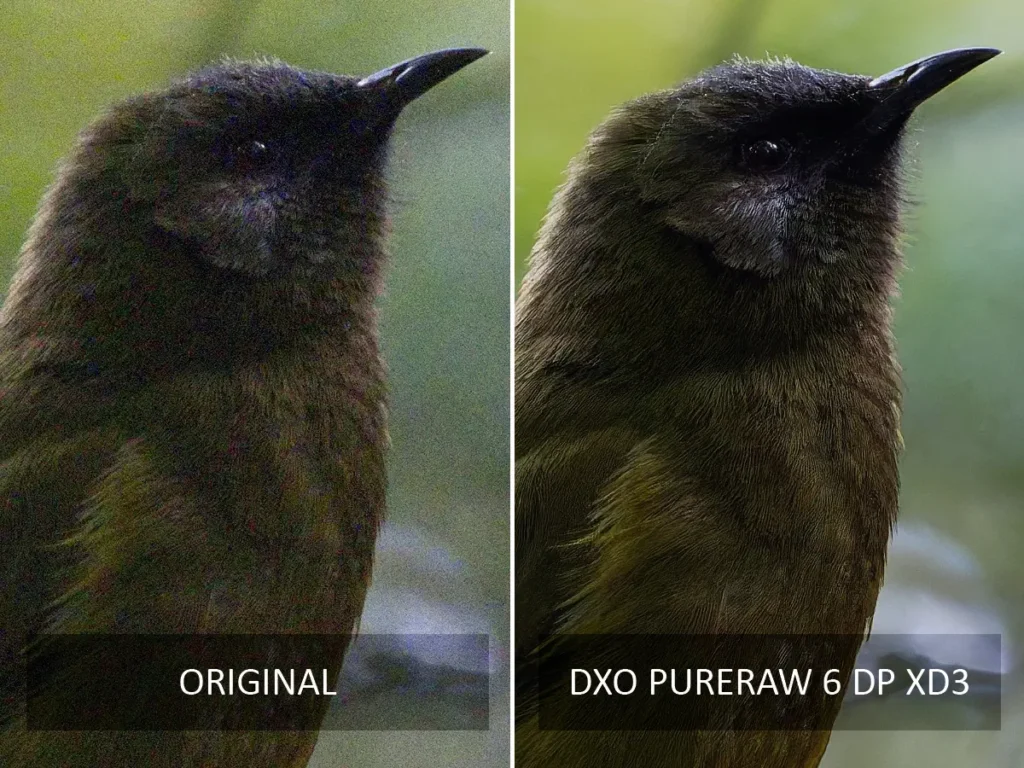
Specifically, user feedback suggests that one denoiser might outperform the other depending on the photo’s nature, the ISO used, and your camera’s vendor. For instance, it seems likely that PureRaw is superior to ON1 NoNoise AI for denoising Fuji raw files. Therefore, it really does make sense to try each of these apps with your own camera’s files.
However, I can offer some distinct recommendations. For example, ON1 NoNoise AI is much better at denoising JPEG files because PureRaw cannot load JPEGs at all. Meanwhile, PureRaw’s optics modules profile the flaws and characteristics of specific camera-lens combinations to deliver outstanding optical and color correction. As a result, PureRaw is an excellent choice for priming both noisy and clean images.
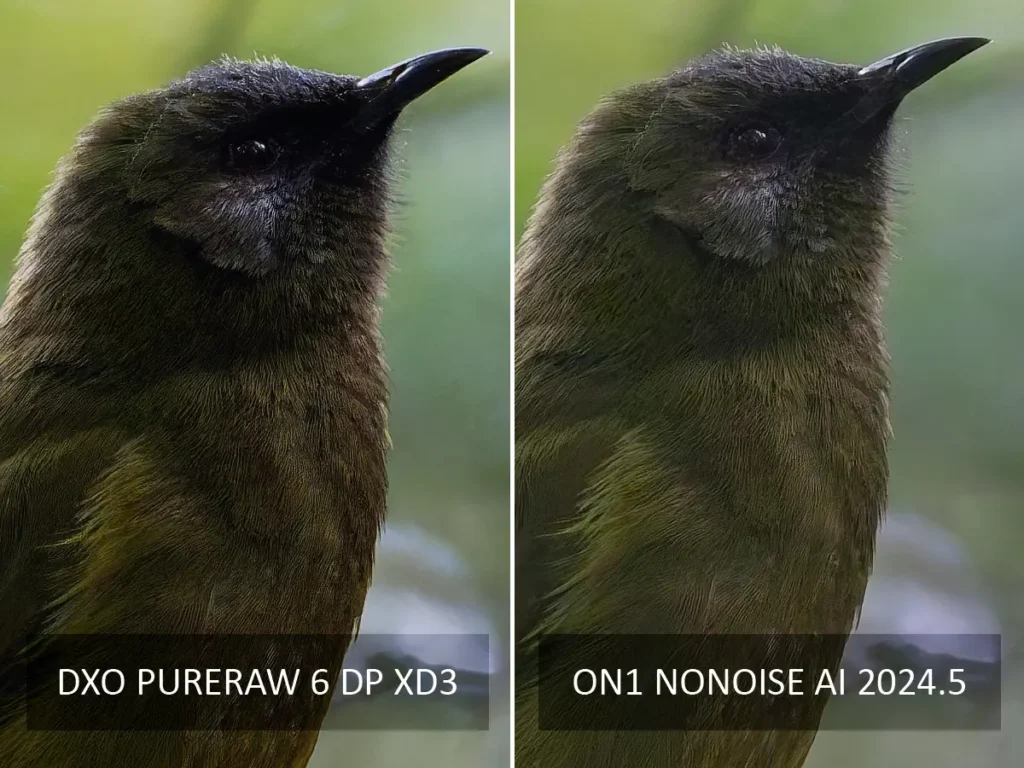
Moreover, PureRaw’s insight into the gear you used means its automatic mode is reliably excellent and will produce near-optimum results without any help from you – making it an outstanding option for processing large batches of images. In contrast, NoNoise AI’s automatic mode is pretty good, but you can always do a little better with manual tuning.
Overall, PureRaw has the edge thanks to its outstanding raw conversion and the convinience of its reliably excellent automatic mode. But, if your denoising needs are infrequent or you need to process JPEGs, ON1 NoNoise AI should be more than sufficient.
Features
DxO PureRaw and ON1 NoNoise AI offer features besides photo noise reduction. For instance, PureRaw has DxO Smartlighting to rebalance your photo’s exposure and a tool to remove sensor and lens dust from your image. Moreover, PureRaw 6 can export images as lossless-compressed DNG Raw, delivering image quality equivalent to DNG in a file that is four to five times smaller.
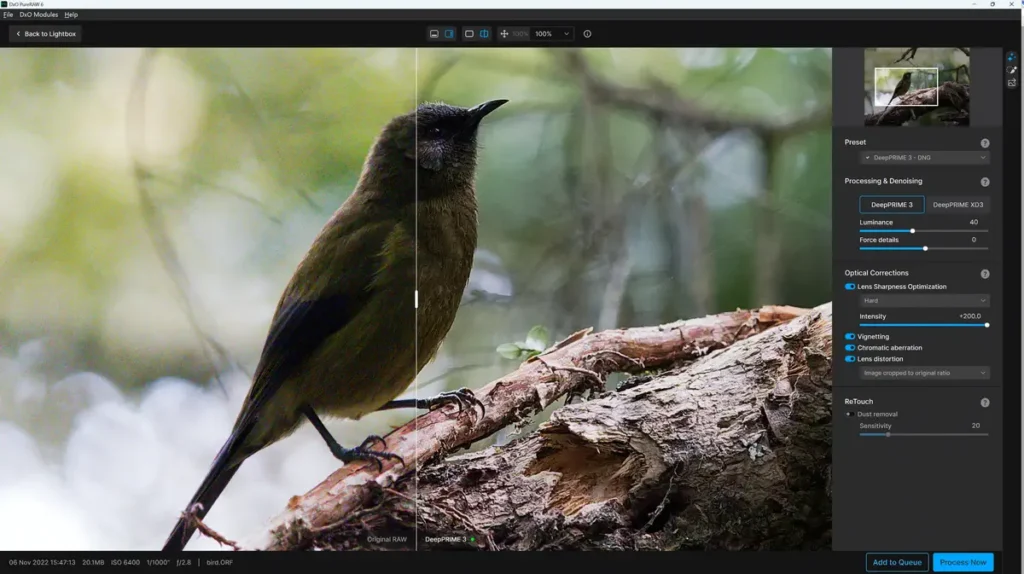
Meanwhile, ON1 NoNoise AI has a crop tool, a healing brush, and an AI erase brush. As with PureRaw, you can also set NoNoise AI to apply file and lens corrections to your raw files, resulting in additional image quality improvements.
Another differentiator is local masking. With PureRaw, you can apply bespoke noise and sharpening corrections to select areas of your photo using a basic masking brush. Although PureRaw’s implementation is pleasantly straightforward to use, ON1 NoNoise AI’s edge-aware brushing and AI-powered automatic object masking are faster and more advanced.
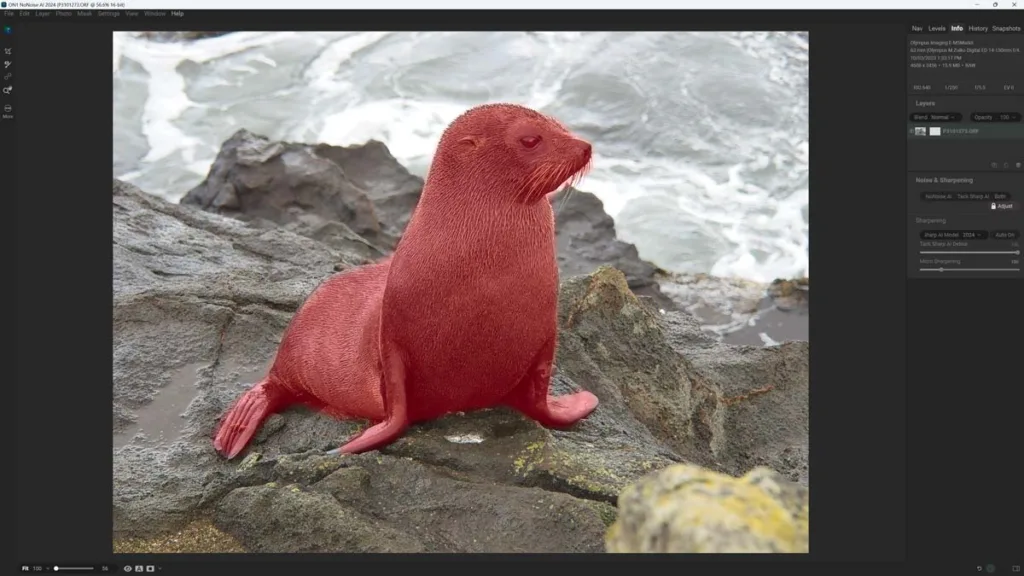
Yet, these additional features don’t mean much if you’re planning to export your primed and denoised image to your favorite photo-editing application. After all, most photo editing apps have these features and more besides. However, if you plan to use either app as a one-stop shop, PureRaw’s lack of a crop tool could prove problematic – as could the absence of exposure control in NoNoise AI.
While we’re on this topic, it’s worth noting that ON1 Photo Raw and DxO Photolab are full-featured photo editing applications that integrate NoNoise AI and PureRaw, respectively, and you can find more information in my DxO Photolab Review and ON1 Photo Raw Reviews.
Useability
ON1 NoNoise AI is at its best when attending to one photo at a time. The interface is concise and responds quickly to your adjustments, resulting in a pleasant workflow. While the automatic mode is effective, you’ll often achieve even better results with a little manual tuning. NoNoise AI’s wider feature set can get a little complicated. For example, many features are represented as icons, so it takes a moment longer to get the hang of it.
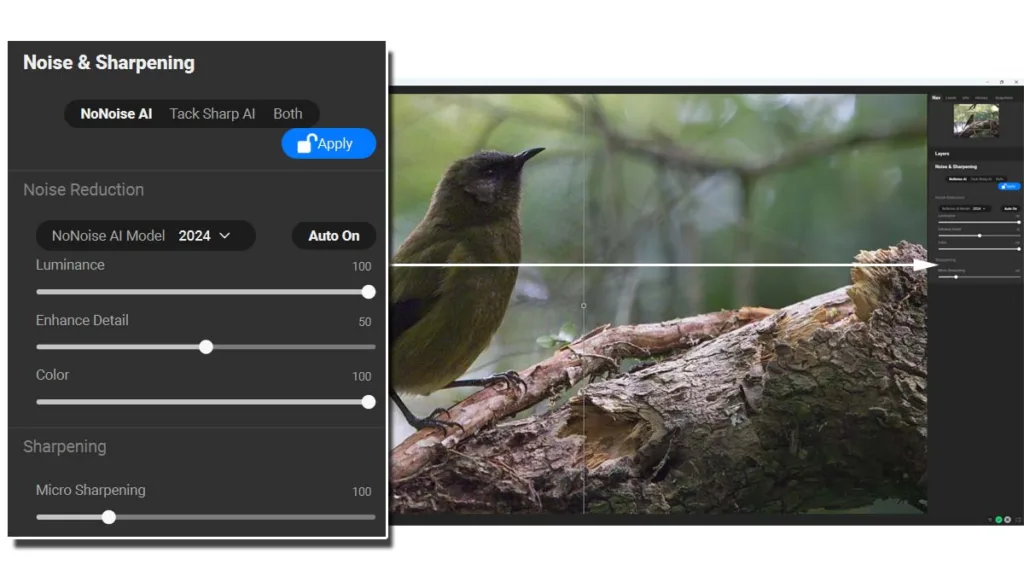
Moreover, if you select tools such as the erase brush, its settings and alternative modes are hidden from view until you move your mouse to the top of the screen. Much of the interface text is small by default, and even when you set the text to large, the light grey text on a black background reduces contrast and may cause problems for those with visual impairments.
Unlike NoNoise AI, DxO PureRaw starts out a little confusing and then gets easier. Instead of opening with a single image, you’ll find yourself staring at an empty image lobby called the Lightbox. Once you’ve loaded one or more images, you can choose to denoise them using the Process with Preview mode or add them to a batch process.
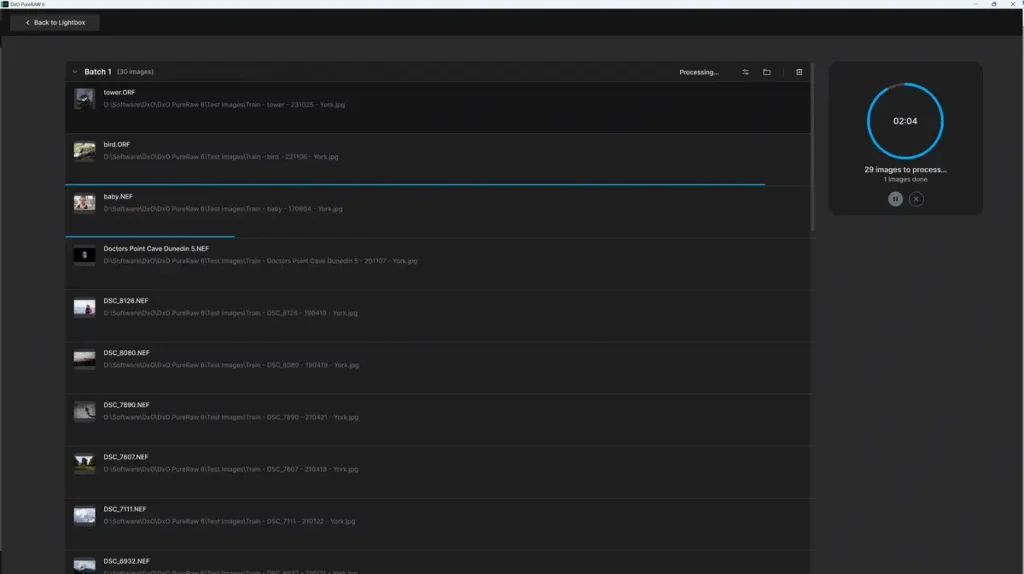
After which, you can process your images immediately or assign them to the queue, where they will sit unprocessed until you click go. The virtue of this mode is that you can create multiple batches – each with its own distinct processing and output settings.
Yet you are most likely to use Process with Preview when processing a single image. In this mode, PureRaw functions much like NoNoise AI in that you get to see your image and the effect of your adjustments as you apply them. Overall, compared to NoNoise AI, PureRaw offers more flexibility in its options and, in my opinion, is better presented overall.
Conclusion
DxO PureRaw and ON1 NoNoise AI are top-tier noise-reduction applications, and which is best for you depends on your use case. If you’re only denoising just a few photos a year or shoot JPEG primarily, you might as well save some money and get ON1 NoNoise AI.
But the more images you have to denoise, the more PureRaw’s benefits scale, and the better the value overall. Not only does PureRaw offer a nicer user experience, a superior automatic mode, and fast batch processing, but its Optics Module-powered raw conversion will make every image look better, whether it is noisy or not.
GET NONOISE AI
WAS $69.99
US$49.99*
*SAVE WITH PROMOCODE “SILENTPEAKTEN”
GET PURERAW
LIFETIME LICENSE
US$139.99
*SAVE WITH PROMOCODE SILENTPEAK15
Related Videos
About the Author

DxO PureRaw vs ON1 NoNoise AI
DxO PureRaw 6 Review – Return of the King
Topaz Photo AI Review – Subscription Hurts Value

Best Noise Reduction Software 2026
Luminar Neo Review – Never Better but Flaws Persist